Table of Contents
Introduction
Starting Smart with Microsoft 365 Business Basic
Welcome to TechMilestoneHub, a blog dedicated to simplifying cloud technologies and cybersecurity for everyday users, aspiring IT professionals, freelancers, and small business owners.
In this first post of our cloud journey series, we’ll introduce you to the Microsoft 365 Business Basic plan — a powerful, budget-friendly subscription designed for small teams and businesses that want to work efficiently, securely, and from anywhere.
What Is a Microsoft 365 Plan?
A Microsoft 365 Plan is a subscription-based offering from Microsoft that gives users access to cloud-based productivity tools, business email, file storage, and collaboration services.
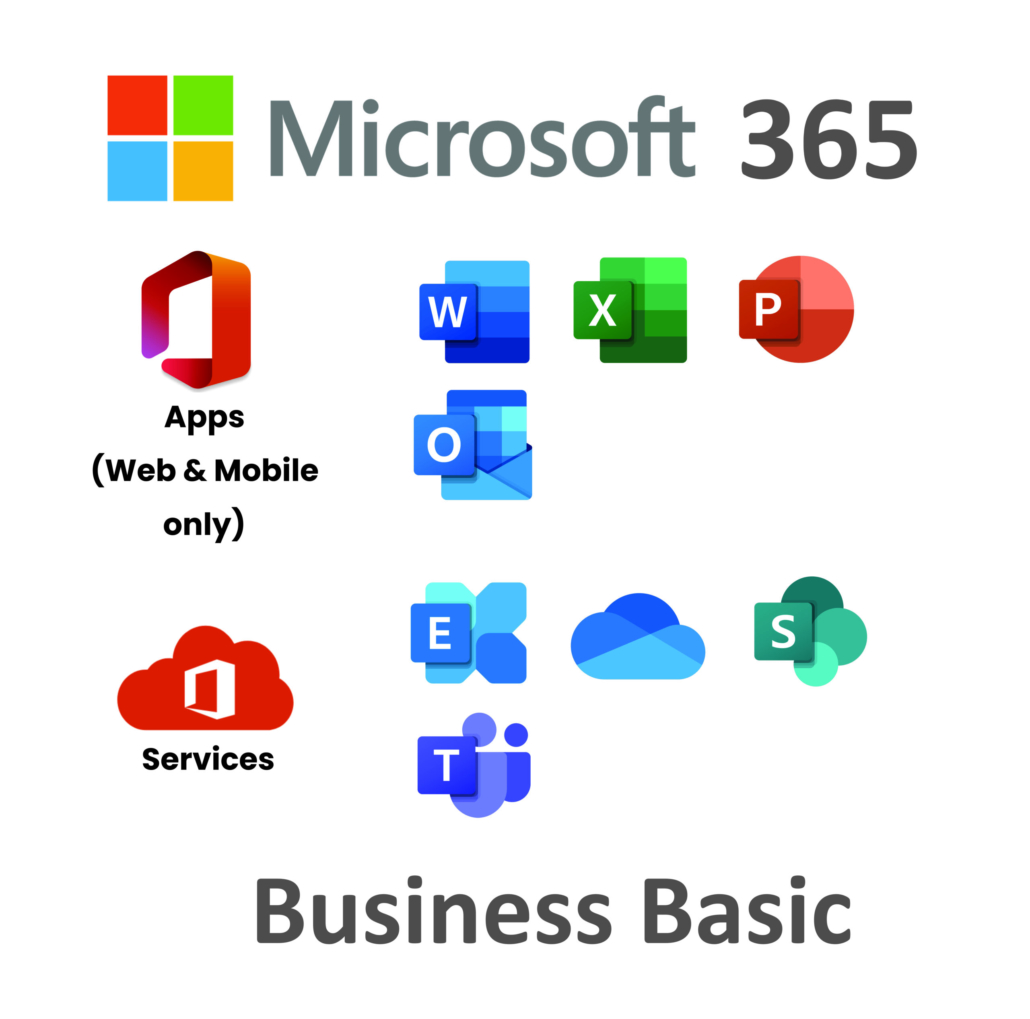
Plans are tailored for different types of users — from home users to large enterprises. Each plan offers a bundle of services like:
- Microsoft Outlook (Email + Calendar)
- Teams (Chat + Video Calling)
- SharePoint and OneDrive (File Storage & Sharing)
- Word, Excel, PowerPoint (Online versions or installable apps)
- Security and compliance features
As a business grows, it can move up to more advanced plans with additional features such as desktop apps, device management, or stronger security controls.
Why We Chose Business Basic for TechMilestoneHub?
For our fictitious company TechMilestoneHub, we’re just getting started — a small team of a few people offering digital consulting and training services. We don’t want to invest in expensive servers or software upfront. We need:
- A professional email system (
yourname@yourcompany.com) - Cloud storage for collaborating on documents
- Team chat and video meetings
- Shared calendars and task management
- Access from laptops and mobile phones
The Microsoft 365 Business Basic plan meets all these needs — at a very affordable price.
Plan Details: Microsoft 365 Business Basic (As of 2025)
| Feature | Description |
|---|---|
| 💰 Price | $6 USD/user/month (or regional equivalent, billed annually or monthly) |
| Business-class email with 50 GB mailbox via Outlook and custom domain name support | |
| ☁️ Storage | 1 TB of OneDrive cloud storage per user |
| 📞 Communication | Microsoft Teams for chat, meetings, and video calls |
| 🧰 Office Apps | Web-based versions of Word, Excel, PowerPoint (no desktop installation) |
| 📁 File Sharing | SharePoint and OneDrive for team file management |
| 🔐 Security | Basic security and admin controls, including MFA and compliance options |
| 🌍 Accessibility | Access all tools from any browser, anywhere in the world |
💡Note: This plan does not include the desktop versions of Office apps (like Word/Excel installed on your PC). Those come with higher-tier plans like Business Standard or Business Premium.
Who Is This Plan Ideal For?
- Freelancers who want professional branding (email, calendar)
- Startups or micro-businesses looking for collaboration tools
- Remote teams who don’t want local file servers
- NGOs or nonprofits operating on a tight budget
- Students or beginners exploring the Microsoft cloud ecosystem
What to Expect in This Blog
In this series, we’ll follow TechMilestoneHub’s journey, starting from scratch:
- Creating a Microsoft 365 account
- Setting up a domain-based email address
- Creating users and assigning licenses
- Using Outlook, Teams, and OneDrive for daily operations
- Securing the environment with admin tools
- Sharing files, organizing meetings, and collaborating effectively
We’ll walk through everything with step-by-step instructions and screen-recorded video demos, so even if you’re not tech-savvy — you’ll be able to follow along confidently.
As TechMilestoneHub grows in later blog posts, we’ll explore more advanced plans and dive into tools like Microsoft Defender, Power Automate, Intune, and more.
🛠️ Your First Milestone Starts Here!
Whether you’re starting a business, changing careers, or simply trying to understand what “the cloud” really is, you’re in the right place. Let’s build your skills — and your digital foundation — one step at a time.
Business Basic Plan Signup
Getting Started with Microsoft 365 Business Basic – Sign Up & First Steps
Starting a business or managing a small team? One of the first things you’ll need is a reliable, secure, and affordable way to handle communication, file sharing, and collaboration. That’s where Microsoft 365 Business Basic comes in.
In this post, we’ll walk you through how to get started — from signing up for the plan, to setting up security, and exploring the admin dashboard. It’s a perfect starting point for new users and small business owners like the team at our fictional company, TechMilestoneHub.
Video Explanation
Step 1: Choosing the Right Plan
Before diving in, it helps to understand what you’re signing up for.
Microsoft 365 Business Basic is one of the most budget-friendly cloud productivity plans available from Microsoft. It’s priced at just $6 USD per user per month (billed annually), and it gives you:
- A professional business email address (
yourname@yourcompany.com) - 1 TB of cloud storage with OneDrive
- Access to Microsoft Teams for chat and video meetings
- Web versions of Word, Excel, PowerPoint (no desktop apps)
- Basic security and user management tools
This plan is ideal for freelancers, startups, and small businesses who want modern collaboration tools without installing heavy software or managing their own servers.
You can sign up for a free trial, which gives you full access for 30 days — enough time to explore and evaluate if it’s right for your team.
No Responses